
Documentation Index

Fetch the complete documentation index at: https://target-calculator-docs.ha-consultancy.com/llms.txt

Use this file to discover all available pages before exploring further.

Run Calculations & Read Results

Run a calculation now

You don’t have to wait for the Job Queue. On the Target Configuration card, choose Run Calculation Now. The engine:
  1. Creates a result record for the current period if one does not yet exist.
  2. Reads the source table, applies your filters, and sums the Main Field per group.
  3. Calculates the achievement percentage against each group’s target.
  4. Records the goal tier reached for each group.
A confirmation message appears when it finishes.

Read the results

Choose Calculation Results from the card or the Target Configurations list. Calculation Results list Each result row represents one period and shows its Status:
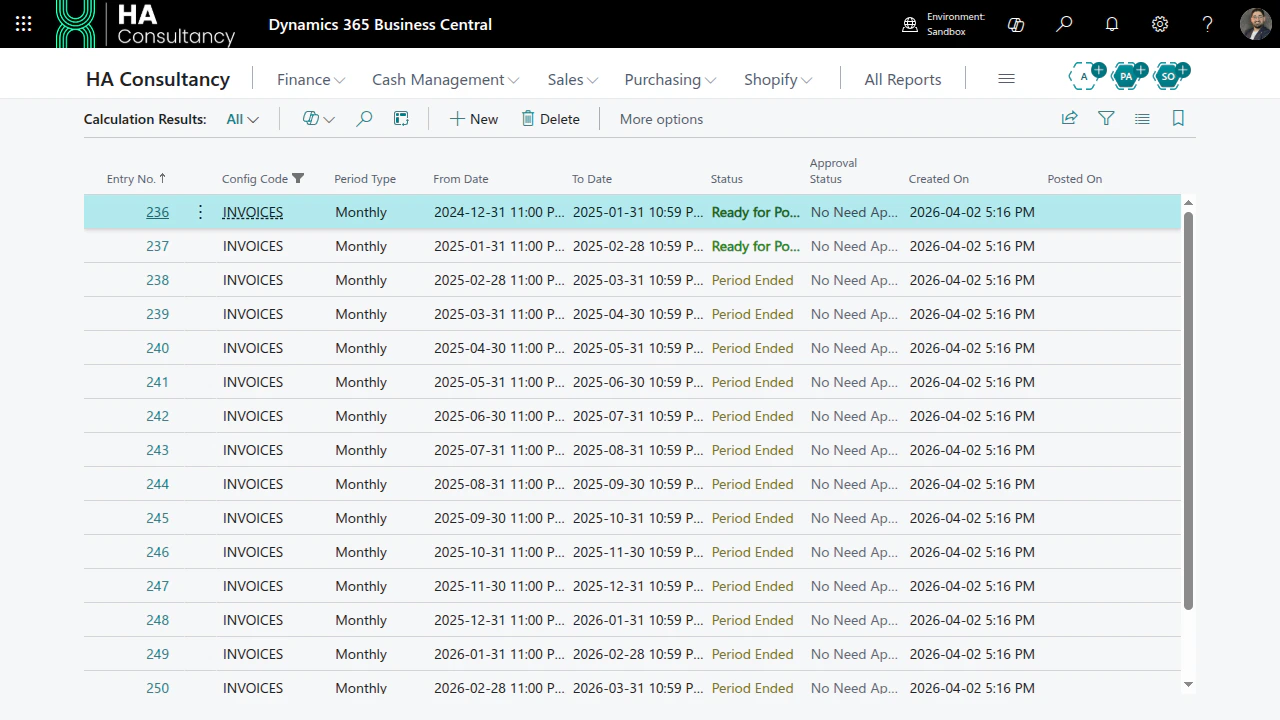
StatusMeaning
Not StartedThe period has not begun.
Period StartedThe period is in progress; values update as data arrives.
Period EndedThe period is complete and ready for action posting.
PostedAction plans for this result have been executed.
ErrorSomething failed - see the error message on the record.
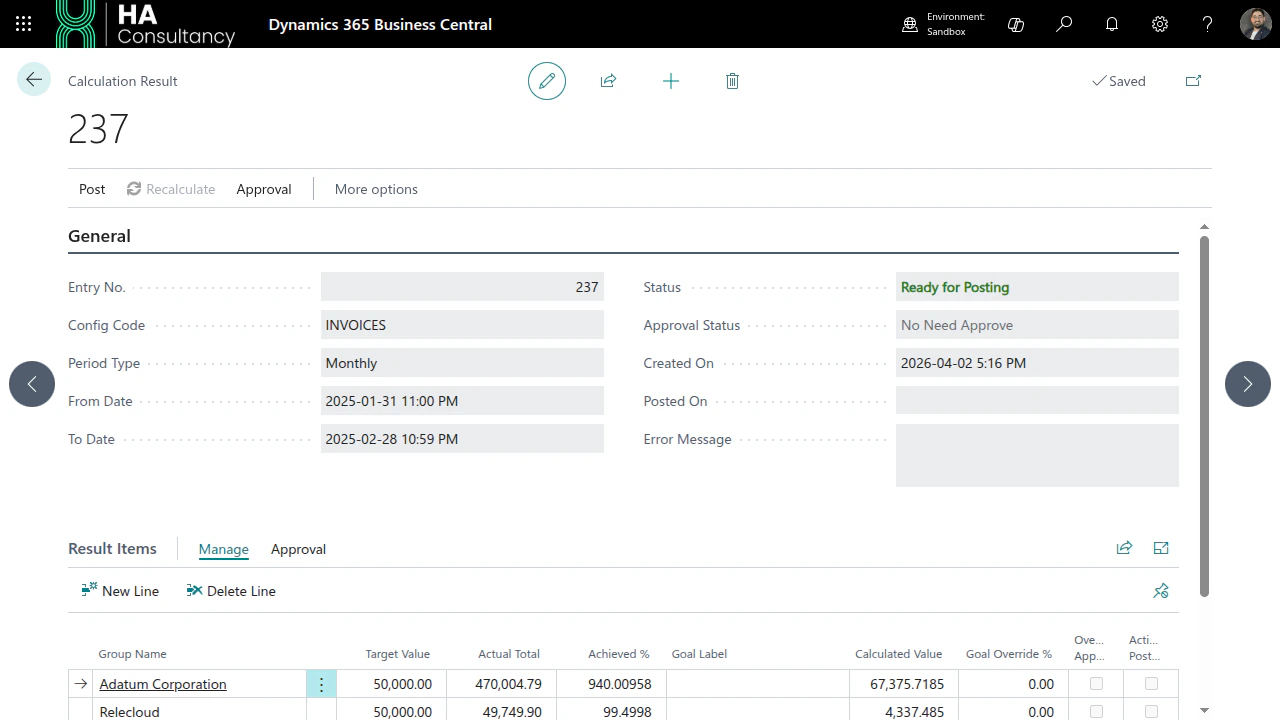
Open a result to see the result items - one line per group with its calculated value, target, achievement %, and the goal tier reached. Calculation Result card with items Next: automate calculations and govern posting with scheduling & approvals.