

Create a Target Configuration
A Target Configuration describes what to measure and over which period.Open a new card
- On the Target Configurations page, choose New.
- The Target Configuration card opens.
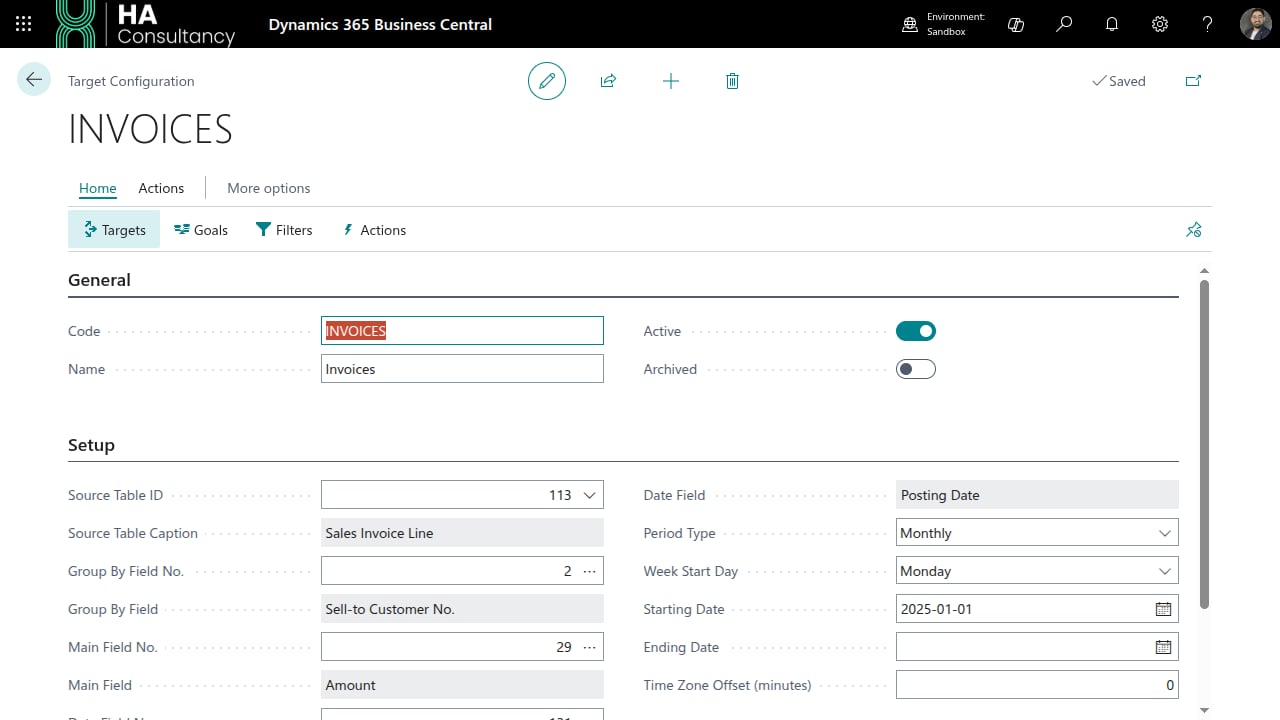
General
Setup
This section tells the engine where to read data and how to slice it.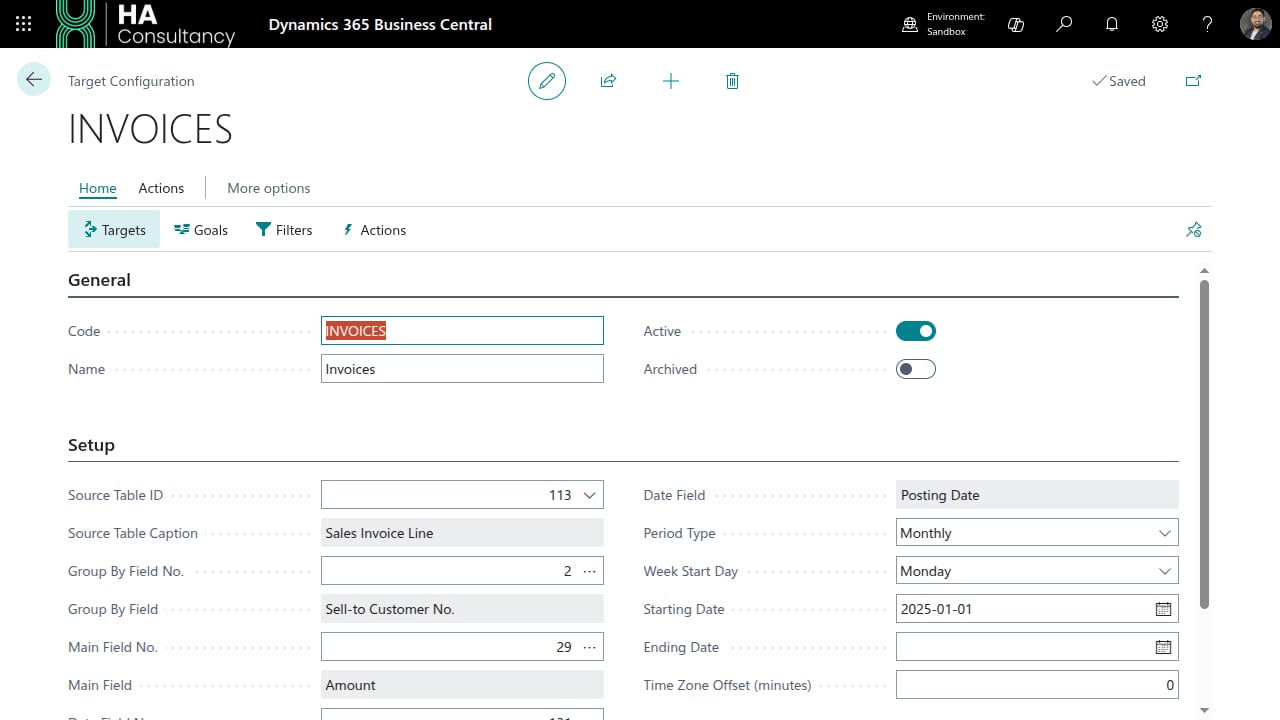
Each field uses a picker - choose the lookup arrow to select from the actual fields of the source table. The captions next to each field confirm your selection.
Options
Once the source and period are set, define the building blocks:
targets, goals, filters & actions.